Classroom Management for 1:1 Devices
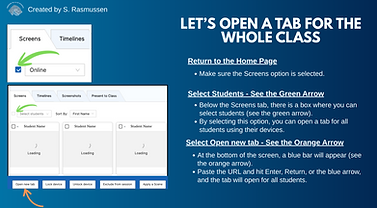
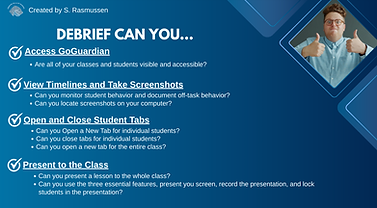
Overview: As the Educational Technology Coordinator for my school, I was asked to create a series of trainings on best practices as our school launched our 1:1 device rollout. After conducting an initial needs assessment, I determined that teachers needed the most support with digital classroom management. To meet these needs, I created a training on new software that the school district was implementing, called GoGuardian. The result was a 30-minute in-person training that presented the software, established school guidelines, and assisted teachers in establishing a digital classroom management structure.
My Role: Product tester, Instructional Designer, Scriptwriter, Storyboard Designer, Video Producer, Trainer, and Tech Support.
Tools Used: Canva, ScreenCastify, Google Forms, Google Sheets, GoGuardian
Skills Used:
Timeline: 1 day
Training Type: 30-minute in-person training that could be accessed at a later date.
Client: Greene Middle School
Results:
-
The preliminary research phase, where I learned how to use GoGuardian in my classroom, was done in the weeks before the creation of the training.
-
Concept to storyboard was completed in approximately 1 hour using pen and paper.
-
Recording example videos took approximately 1 hour.
-
Visual assets took approximately 3 hours.
-
Presenting my training to my administrators and a small focus group of teachers to gather feedback took approximately 1 to 1.5 hours.
-
Revisions based on feedback from administrators and teachers took 1-2 hours.
-
Total production time from blank page to finished training was approximately 8 hours.
Next Steps: As a follow-up to this training, I conducted a 10-15 minute follow-up training on creating and utilizing a feature called 'Scenes', which allows teachers to block or approve websites that students can access during the class period.